
All projects
Sound Stacks
An analog-style audio rack that runs in the browser: VU meters, compressor, equalizers, effects and recording. Plug in your microphone or an audio file and try it right on this page.
views- React
- TypeScript
- Web Audio API
- Vite
- Tailwind CSS
Try the app Open full screen
Sound Stacks brings studio hardware into the browser as an audio processing and metering rack. There is nothing to install, and no audio is sent to a server: all processing happens on your own computer with the Web Audio API.
How to try it
- Press the power button in the box above and allow microphone access when the browser asks.
- Pick a module from the device selector at the top: VU Meter, Compressor, EQ, Studio Rack, Player or the speaker icon on the far right (Speakers).
- To listen to your own music instead of the microphone, load an audio file in the Player module.
- Use the “Open full screen” link for a larger workspace.
What it can do
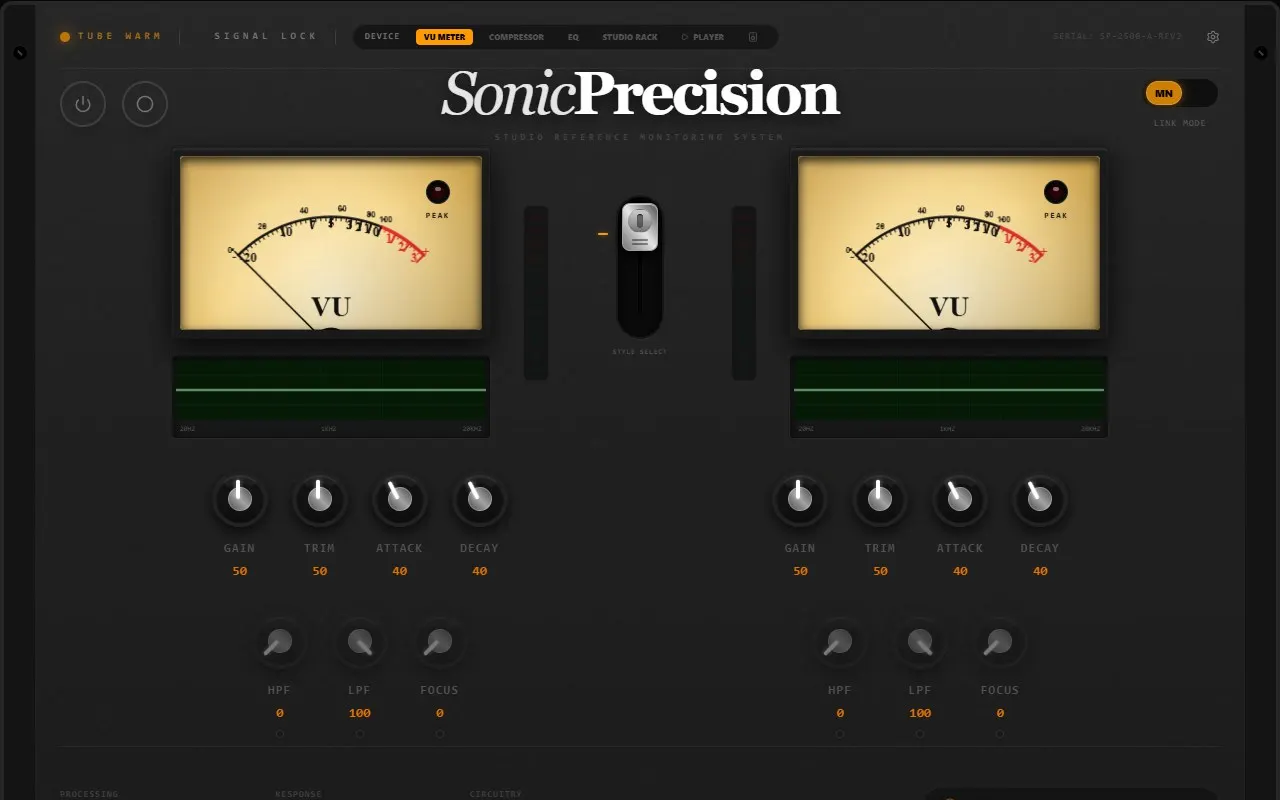
- Analog VU meters: realistic needle ballistics, peak indicator, mono and stereo modes. Gain, Trim, Attack and Decay knobs per channel, plus HPF, LPF and Focus filters; channels can be linked.
- Compressor and limiter: Threshold, Ratio, Attack, Release and Makeup controls, a gain reduction meter, input and output VU meters and a separate peak limiter.
- Equalizers: a 35-band graphic EQ (presets, HPF/LPF, input and output gain) and a parametric EQ you adjust by dragging points on the graph (Freq, Gain, Q and preset profiles).
- Analyzers: spectrum, bars, waveform, Lissajous and waterfall views.
- Effects rack (Studio Rack): noise gate, compressor, parametric and graphic EQ, digital delay (with ping-pong), plate reverb, chorus, saturator, bitcrusher, pitch shifter and stereo widener (with a phase correlation meter). Each module can be switched on and off.
- Player and recorder: load and play audio files, switch the signal between microphone and player, record the processed sound and download the recordings.
- Hardware settings: input and output device selection, sample rate, FFT size, visualizer FPS cap, a high performance mode for slower devices and an emergency audio shutdown.
- Speaker designs: speaker models drawn in different styles, from vintage cabinets to studio monitors and towers.
Notes
- Microphone access is only requested when you press the power button; without it you can still use audio files in the Player module.
- Output device selection is not supported in every browser (Chrome and Edge support it).
- Listening through speakers with the microphone on can cause feedback; headphones are recommended.